compare
Where they overlap and where they differ
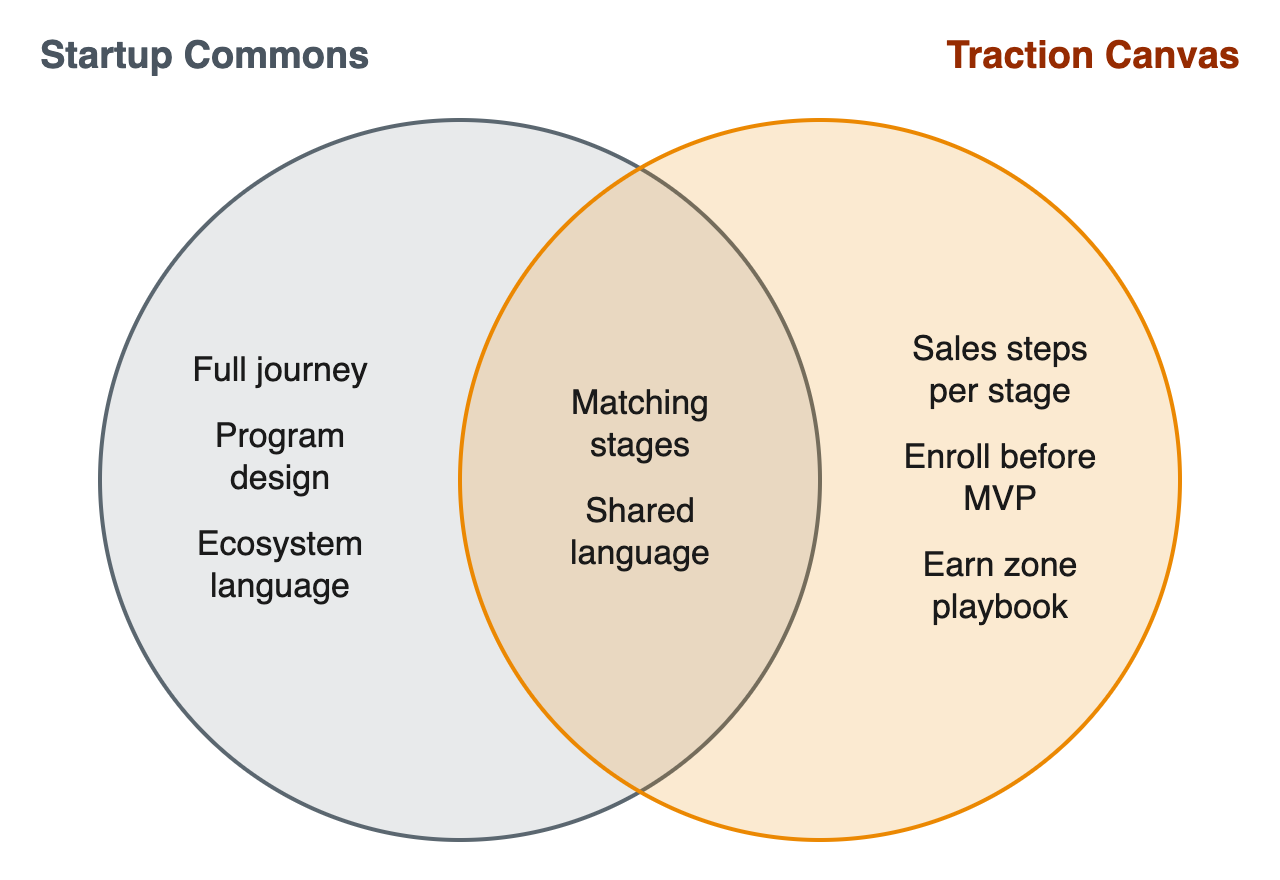 Left: covered by Startup Commons only. Middle: covered by both. Right: covered by the Traction Canvas only.
Box by box
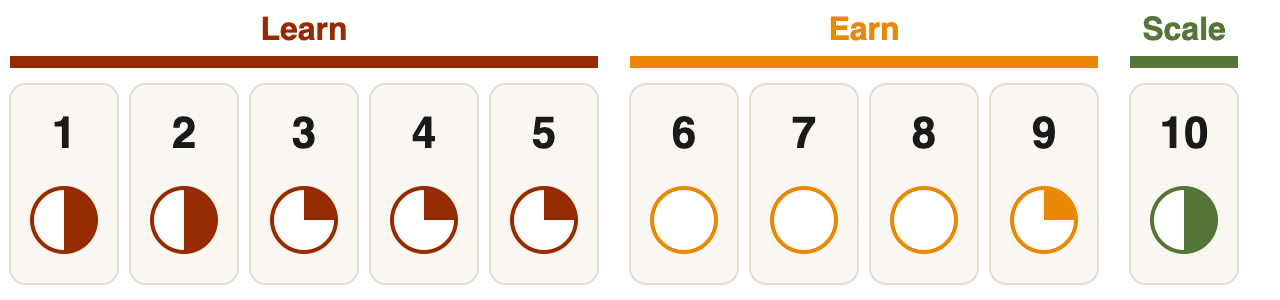 How much Startup Commons covers each Traction Canvas box. Full circle: a core focus. Empty: not covered. This is our own assessment; see all models compared.
The short answer: Startup Commons describes a startup’s development phases, used by many accelerators and incubators. The Traction Canvas maps directly onto them and adds the sales steps founders complete in each phase.
How much Startup Commons covers each Traction Canvas box. Full circle: a core focus. Empty: not covered. This is our own assessment; see all models compared.
The short answer: Startup Commons describes a startup’s development phases, used by many accelerators and incubators. The Traction Canvas maps directly onto them and adds the sales steps founders complete in each phase.
What Startup Commons does well
Startup Commons defines three development phases (Formation, Validation and Growth) and stages within them: Ideating, Concepting, Committing, Validating, Scaling and Establishing. Many ecosystem builders, accelerators and incubators use it to classify startups and plan support. • It gives the whole ecosystem shared language for a startup’s stage.• It helps support organizations match programs to founders.
• It covers the full journey, from idea to established company.
How Startup Commons maps to the Traction Canvas
The Traction Canvas has ten boxes in three zones, completed in order: Learn (Boxes 1 to 5), Earn (Boxes 6 to 9) and Scale (Box 10). Here is how Startup Commons lines up with it.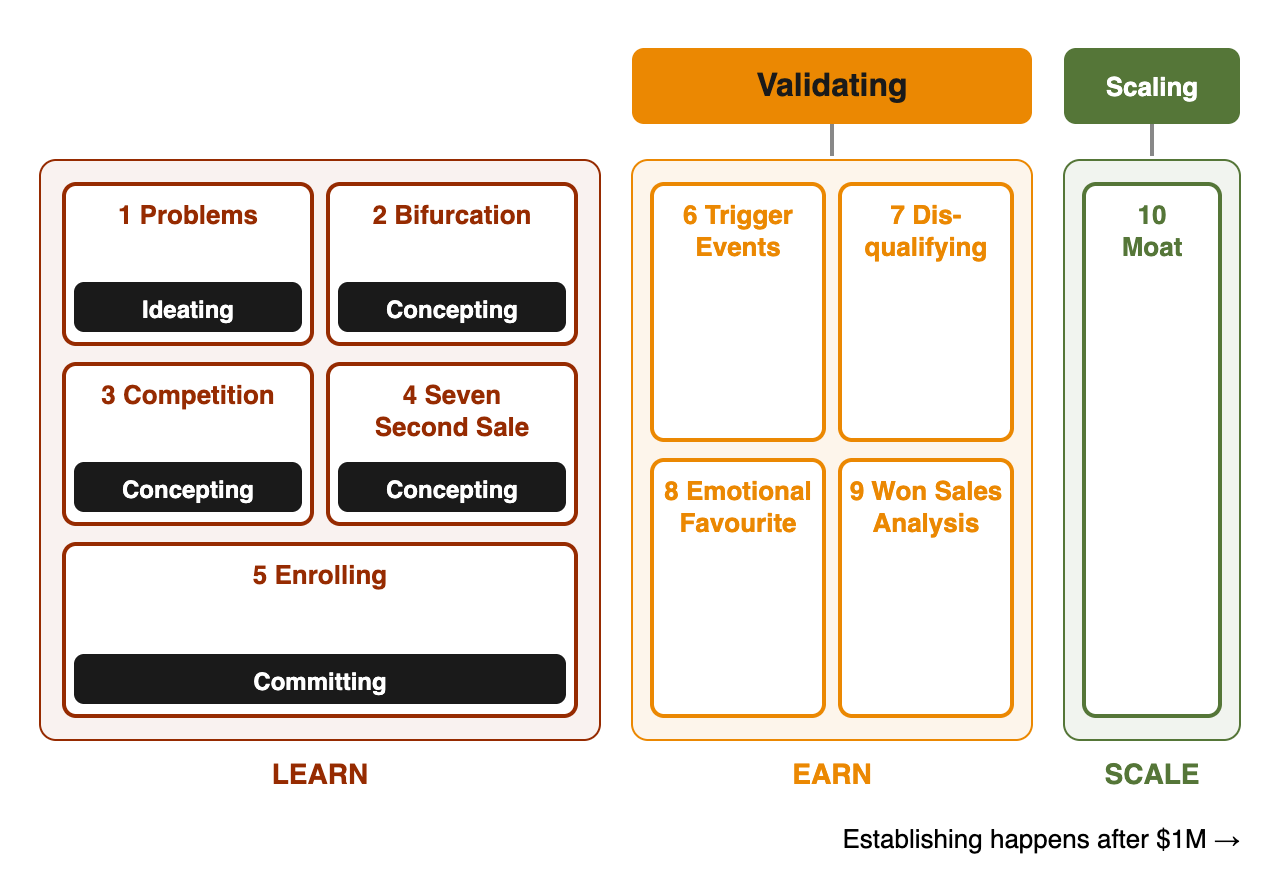 Where Startup Commons lands on the Traction Canvas. Faded boxes are not covered. The table below has the details.
Ideating — Traction Canvas: Box 1: Problems / Learn zone. How it connects: Problems finds a problem worth solving now.
Where Startup Commons lands on the Traction Canvas. Faded boxes are not covered. The table below has the details.
Ideating — Traction Canvas: Box 1: Problems / Learn zone. How it connects: Problems finds a problem worth solving now.Concepting — Traction Canvas: Box 2: Bifurcation / Box 3: Competition / Box 4: Seven Second Sale / Learn zone. How it connects: Bifurcation, Competition and the Seven Second Sale shape the concept around real buyers.
Committing — Traction Canvas: Box 5: Enrolling / Learn zone. How it connects: Enrolling secures meetings with ideal customers before building.
Validating — Traction Canvas: Box 6: Trigger Events / Box 7: Disqualifying / Box 8: Emotional Favourite / Box 9: Won Sales Analysis / Earn zone. How it connects: The Earn zone builds repeatable, qualified wins.
Scaling — Traction Canvas: Box 10: Marketing Moat / Scale zone. How it connects: The Marketing Moat drives growth through word of mouth.
Establishing — Traction Canvas: Beyond the canvas. How it connects: Happens after $1M in ARR, beyond the canvas.
The gap Startup Commons leaves
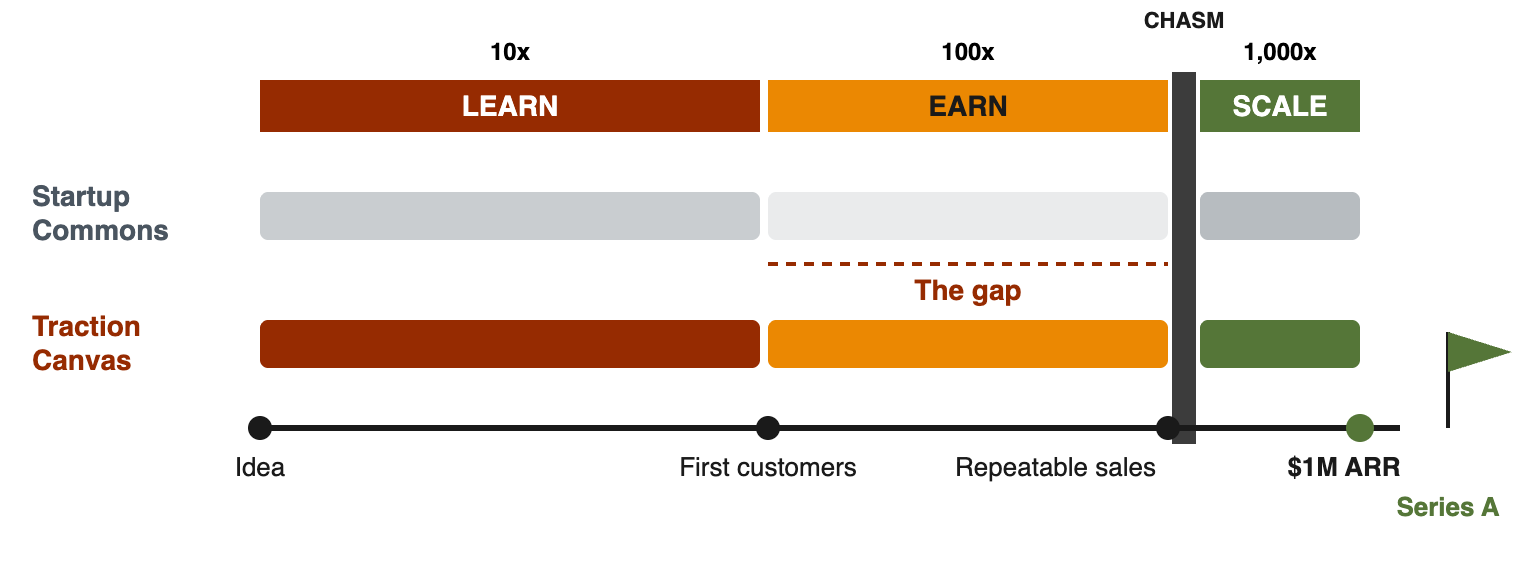 How far each canvas takes a founder on the road to $1M in ARR and a Series A. Bar strength shows how much of each zone is covered, using the box-by-box ratings above.
Startup Commons puts building the MVP in the Committing stage. The Traction Canvas has founders enroll customers first, in Box 5, so they build what buyers have already asked for. Startup Commons also describes stages rather than the sales steps inside them.
How far each canvas takes a founder on the road to $1M in ARR and a Series A. Bar strength shows how much of each zone is covered, using the box-by-box ratings above.
Startup Commons puts building the MVP in the Committing stage. The Traction Canvas has founders enroll customers first, in Box 5, so they build what buyers have already asked for. Startup Commons also describes stages rather than the sales steps inside them.